Blog / Social Media
Event posts: graphics, copy and publishing
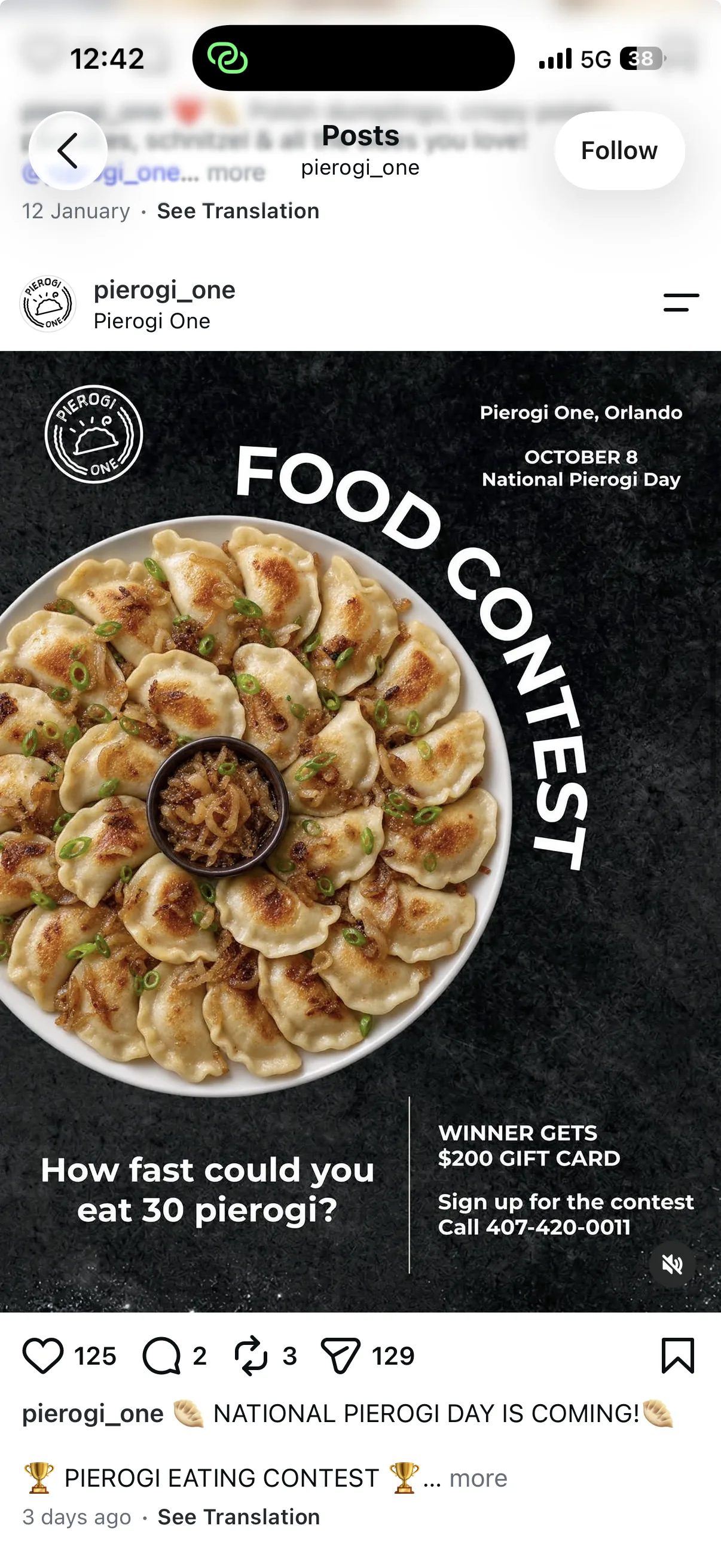
Plan an event post with its topic, date, location, participation details and contact, using Pierogi One’s Food Contest as an example.
An event post should quickly explain what is happening, when, where and how to take part. The graphic highlights the essentials, while the caption supplies detail. Collect approved information before design instead of adding it after the layout is agreed.
What belongs on the graphic?
Choose the event name or topic and the details needed to identify its time and location. Not every participation rule belongs in the image. Check readability on a phone at roughly the size people will see in their feed.
How should the caption be used?
Use the caption for the programme, participation details and next step. If information may change, agree where updates will be maintained. Graphic and caption must show the same date and booking method. Check tagged profiles before publishing.
Pierogi One example and pre-publication checks
The Food Contest design for Pierogi One presents an event within the restaurant’s identity. Before publishing, verify the name, date, location, contact and required formats. A post design does not establish profile management, event organisation or a measured campaign result.
Project checklist
- Compare date, time and location in the graphic and caption.
- Check the registration method and destination link.
- Arrange an update if the programme or timing changes.
Questions and answers
Can the same graphic be used everywhere?
A shared design can be adapted, but check aspect ratio, cropping and readability for each placement.
See what the finished project looks like
Related articles

Social Media
Social media content planning: topics, formats and scheduling
Plan social media topics around your offer, organise assets and approvals, and assess posts against their purpose.
16 October 20262 min readRead article
Social Media
Business reels: filming, editing and subtitles
Prepare business reels: scripts, supplied footage, editing and subtitled versions, with an example from CM Woronicza.
19 September 20262 min readRead article
Social Media
How much does social media management cost?
Social media management prices: channel, posts, graphics, copy and reporting. Distinguish subscriptions from extras.
25 August 20262 min readRead article
Turn your idea into a project.
Choose your services and see the price, or tell us about your project.