Blog / CGI
Product 3D modelling: geometry, inputs and files
How is a product model built? Dimensions, references, detail, materials and formats for rendering, animation and other uses.
3D modelling creates an object’s digital geometry. Rendering turns it into an image; animation shows changes over time. Requirements follow the use: a product close-up, a whole-scene view and an editable handover may need different detail levels.
What inputs can be used?
Useful inputs include dimensioned drawings, CAD files, photographs and samples. References should show all important sides. A photograph does not verify hidden dimensions. Agree missing information, especially when the model must represent a specific product.
Geometry, detail and materials
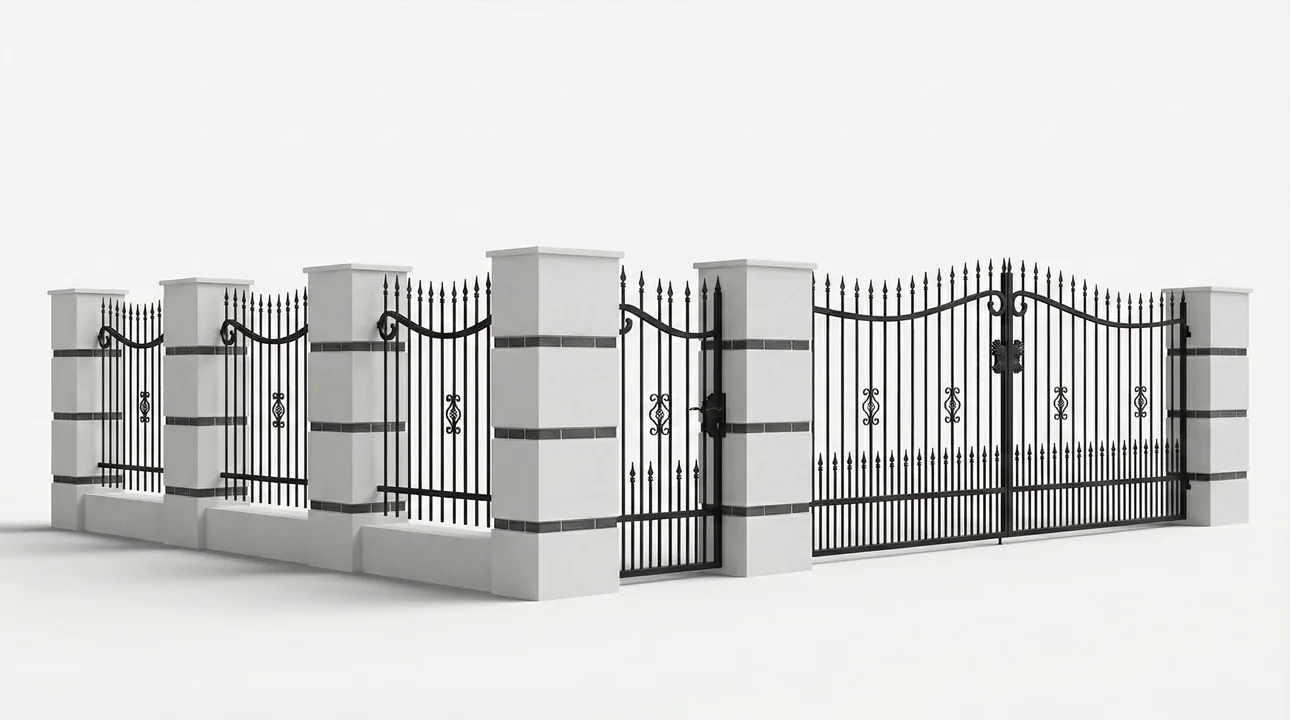
Check proportions and shape first, then visible details and materials for the planned views. Specify internals and moving parts separately if animation needs them. Unnecessary complexity can make later use harder.
Handover and further use
Agree file format, organisation and whether delivery includes the model, renders or both. A presentation model is not automatically production documentation or ready for 3D printing. Product and fencing examples show geometry used for visualisation.
Project checklist
- Record dimension sources and assumptions for missing data.
- Review geometry at the close-up required for final output.
- Open the delivered model in the agreed software.
Questions and answers
Can the model be reused?
Yes, when its format, handover scope and preparation suit the next use. New close-ups or animation may need additional work.
See what the finished project looks like
Related articles
CGI
How much does a 3D visualisation cost?
3D visualisation prices for products, interiors, buildings and developments. Review modelling, view counts and quotation materials.
25 August 20262 min readRead article
CGI
3D visualisation in Warsaw: preparing a project brief
Commissioning 3D visualisation in Warsaw: drawings, models, views, approvals and delivery files. Compare project scopes.
27 August 20262 min readRead article
CGI
Architectural visualisation: types and uses
Architectural visualisations for interiors, buildings and developments: views, drawings, lighting and project presentation files.
9 September 20262 min readRead article
Turn your idea into a project.
Choose your services and see the price, or tell us about your project.